
In a world where digital connectivity is nearly as essential as electricity, travelers expect to stay online whether they’re at home, at work, or on the move. Train travel offers comfort, scenery, and space that other transportation modes often lack—but what about internet access? For many passengers, one of the most common questions is simple: Does Amtrak have WiFi, and can you rely on it?
This long, in-depth blog dives into everything you need to know about Amtrak WiFi—how it works, where it’s available, what you can do with it, and how to get the best possible experience during your journey. Whether you’re working remotely, staying in touch, or simply browsing the web, understanding Amtrak’s onboard internet can make your trip smoother and more enjoyable.
Does Amtrak Have WiFi?
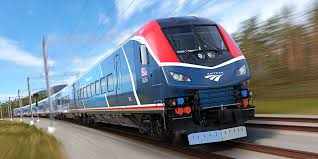
Yes, most Amtrak trains offer WiFi, and the service is free for all passengers. It’s designed to support light internet use, giving travelers the ability to stay connected for essential online activities. This makes Amtrak especially convenient for commuters, students, and business travelers who need to remain lightly connected on the go.
However, Amtrak WiFi is not a substitute for high-speed broadband. The network prioritizes simple tasks and limits heavy bandwidth usage to ensure that all passengers onboard have fair access.
How Amtrak WiFi Works
To understand what to expect from Amtrak WiFi, it helps to know how it operates. Unlike stationary networks that rely on stable broadband, Amtrak WiFi connects to cellular towers along the route. The train’s onboard routers then distribute that connection to passengers.
This means WiFi quality varies depending on:
Location – Urban areas offer better connectivity than rural or mountainous regions.
Network Congestion – When many passengers connect at once, the bandwidth is shared among all users.
Terrain – Tunnels, forests, and hills can temporarily interrupt the signal.
Weather – Severe weather can influence cellular performance.
Understanding these factors will help you set realistic expectations and use the service more effectively.
What You Can Do With Amtrak WiFi
Amtrak WiFi is optimized for basic online needs, including:
Checking email
Browsing websites
Reading news articles
Messaging friends or colleagues
Accessing lightweight cloud files
Checking travel plans, maps, and schedules
Light social media use (text and images)
For most casual users, these features are more than enough to stay productive and informed during the trip.
What Amtrak WiFi Cannot Handle
Because bandwidth is limited, Amtrak restricts certain high-data activities. Passengers should not expect to:
Stream movies or TV shows
Download large files
Play online games
Make video calls or attend virtual meetings
Use heavy cloud-based applications
Connect to bandwidth-intensive VPNs
These restrictions protect network performance and prevent congestion that could impact all passengers.
Availability of WiFi on Different Routes
WiFi availability varies depending on the type of route and geographic region.
1. Northeast Corridor
This corridor includes some of the busiest and most connected trains. WiFi is typically more reliable here because of dense cell tower coverage and major cities along the route.
2. Regional and State-Supported Trains
Many short to medium-distance routes include WiFi as a standard amenity, catering to daily commuters who expect to remain online.
3. Long-Distance Trains
Long-distance routes may pass through mountains, deserts, forests, and rural areas where cellular coverage is limited. WiFi on these trains can be slow or intermittent, and in some areas, it may not be available at all.
Why Amtrak WiFi Sometimes Feels Slow
Travelers occasionally notice slow or inconsistent WiFi speeds. Several factors contribute to this:
Multiple Connected Devices
Hundreds of passengers may be attempting to use the network at the same time, causing congestion.
Remote Areas
Cellular signals can be weak or nonexistent in remote parts of the country.
Physical Obstacles
Tunnels, bridges, thick trees, and steep terrain can interrupt the connection.
Weather Conditions
Heavy storms, snow, or strong winds may reduce signal quality.
Equipment Variation
Some older train cars have outdated WiFi infrastructure, while newer fleets offer stronger connectivity.
Tips for Getting the Best WiFi Experience on Amtrak
Travelers can take simple steps to improve their onboard internet experience:
1. Download Before You Go
Save movies, shows, music, documents, and maps ahead of time. Offline access is your best friend on long trips.
2. Use Offline App Features
Many apps, including email, cloud storage, and document editors, offer offline modes.
3. Consider a Mobile Hotspot
If you need stronger internet, a personal hotspot can supplement Amtrak WiFi—especially in areas with strong cellular coverage.
4. Sit Near a Window
This can help improve connection stability by allowing a clearer path to cell signals.
5. Avoid Peak Usage Times
If possible, use the WiFi when fewer passengers are online, such as early morning or late evening.
6. Stick to Light Activities
The network is designed for browsing and messaging, not streaming or heavy downloads.
Is Amtrak WiFi Good for Remote Work?
For light remote work—writing emails, editing documents, reading reports, or planning assignments—Amtrak WiFi is usually adequate.
However, if your work requires:
Video conferences
Large cloud collaborations
VPN-heavy tasks
Uploading or downloading big files
—you may need backup options. Many business travelers pair Amtrak’s WiFi with a mobile hotspot to ensure seamless productivity.
WiFi at Amtrak Stations
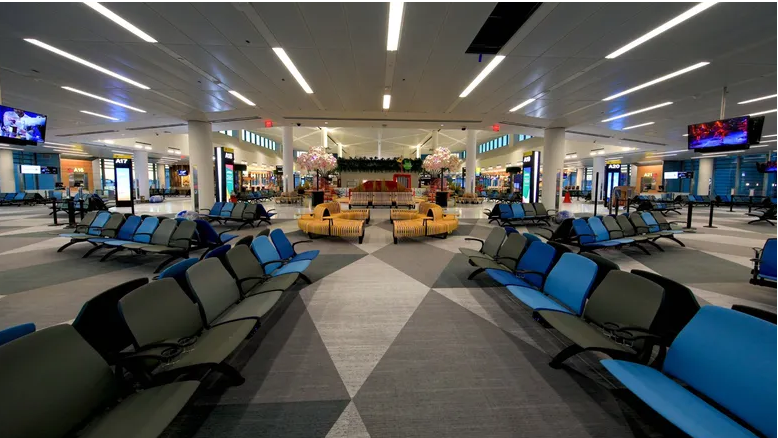
Many major Amtrak stations also offer WiFi in waiting areas, lounges, and platforms. Station WiFi is typically faster and more reliable than onboard WiFi because it uses fixed high-speed internet. This allows passengers to:
Download important files
Send large emails
Stream content before boarding
Prepare work materials for the journey
Taking advantage of station WiFi ensures you’re set up for a smoother trip later.
What to Expect in the Future
continues to upgrade its WiFi infrastructure as part of ongoing modernization efforts. Newer trains, improved cellular partnerships, and advanced onboard equipment promise better connectivity over time. As technology evolves, passengers can expect stronger, faster, and more reliable service across more routes.








Write a comment ...